Welcome to blender secrets.
A place to level up your blender skills.
In this course, we create a fictional pocket retro device designed for running Blender. I’m not sure how practical it would be in real life, but it’s fun to think about! And it’s a great modeling learning project, because it deals with a lot of the challenges you face making hard surface objects. Like how to model various holes in hard surfaces, and how to deal with bevels. We also look at turning boolean cuts into subdivision-ready quad topology.
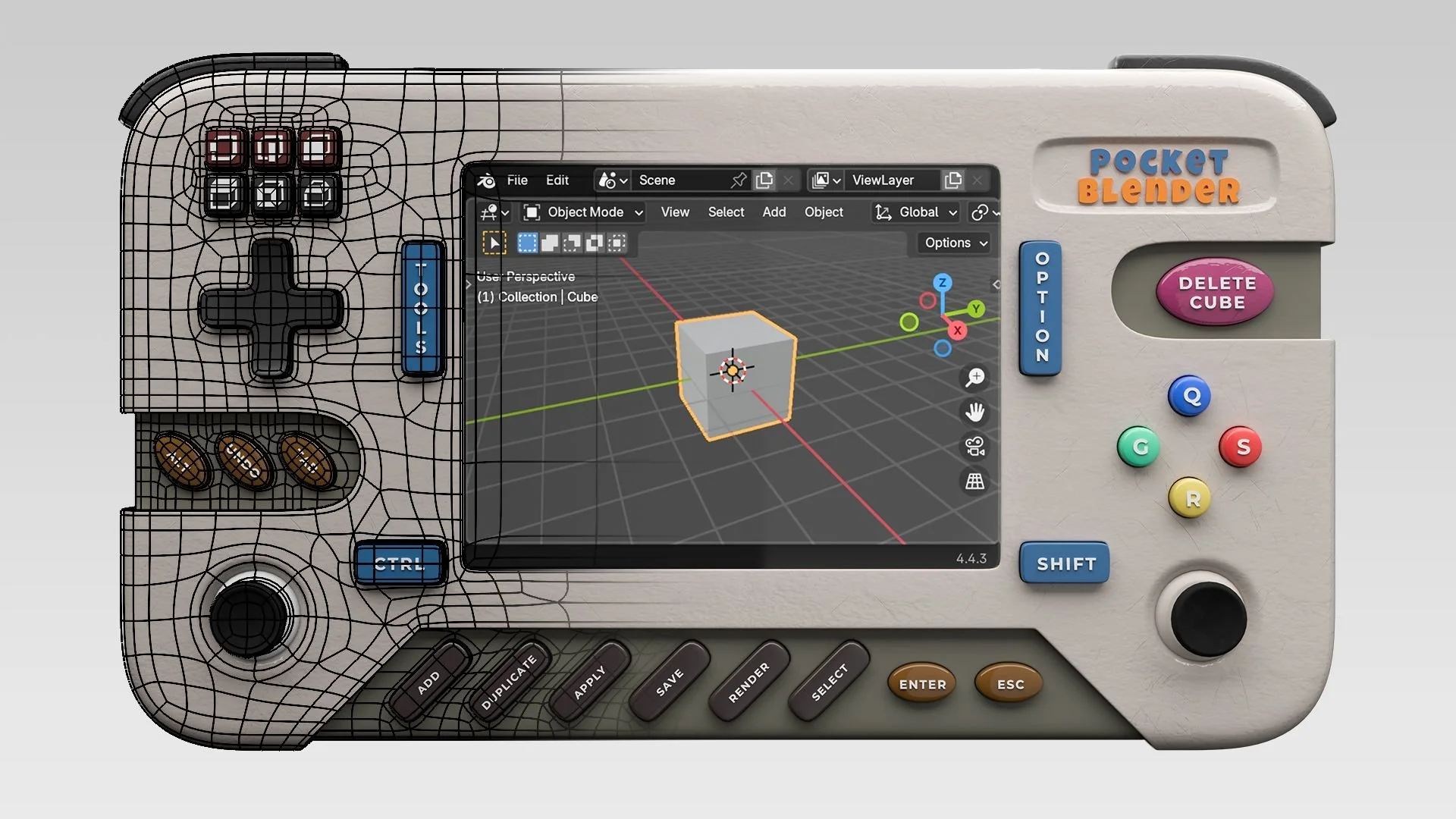
For professional hard surface modeling, either in gamedev, film or TV VFX workflows, or motion graphics, it’s essential that you know how to achieve subdivision-ready topology. In this 5-hour hard surface modeling course, you learn to go from a boolean blockout to subdivision-ready topology.
Although some basic knowledge of Blender is required to follow the course, it’s good for beginners who want to learn the basics of hard surface subdivision-ready topology:
How to create a blockout using Booleans and modifiers, so that you can quickly get the right shape.
How to go from that boolean blockout (which has lots of N-gons, triangles and other things that won’t subdivide well) to an all-quads, subdivision-ready model.
Knowing how to create good topology is an essential skill for those of you who want to get into either game design, film or TV VFX, or motion graphics.
Set up orthographic reference images so that you’re set up for success with your 3D modeling work, eliminating most of the guess work.
Create subdivision-ready holes in geometry. This is one of the most challenging parts of making quad topology, especially with capsule-shaped or even more complex holes (like the one the D-pad inserts into).
How to properly use the Bevel, Array, Mirror and Subdivision modifiers.
How to create panel gaps and add thickness to surfaces.
I explain you WHY I do things, instead of just saying “now click on this… then click on this…” without any explanation of why you should do it that way.
We slowly increase the difficulty level. Instead of throwing you in the deep end, we start with some easy stuff, then gradually ramp up the complexity. But don’t worry, at each stage I show you everything I do, step by step.
You can ask me anything! Whenever you get stuck, just leave a comment under that video and I’ll respond and guide you through.
Vanilla Blender: No, we’re not going to eat Blender. What I mean is, we’re not using any paid add-ons. So ‘vanilla’ or ‘default’ Blender will do just fine for this course. You don’t need to buy Boxcutter or Hard Ops or any of that stuff (not that there’s anything wrong with those add-ons, but I believe you should master the basics and learn how to do it the old-fashioned way first, so you can still work when add-ons stop being updated or don’t work due to some Blender update).
You can download all the lessons or watch them streaming online. So if you’re traveling for example, or have unreliable internet, just download it and watch it offline. Plus, you won’t be distracted by all the other stuff happening on the internet if you do it that way.
Reference images are supplied as downloads as well.
You’re new to modeling hard surface models, and you want a project to sink your teeth into that nevertheless is not too hard, not too long (about 5 hours) and that you can definintely finish and show off.
You want to know ‘why’ modeling decisions are made, rather than just following along without understanding.
You want to learn how to make any shape of hole in quad topology (the key to making really cool and complex hard surface designs).
I'm sure you'll love seeing your models come to life in beautiful renders with awesome materials. However, if you're not satisfied with this course, I'll give you a complete refund if it's within 30 days of purchase.
I’m Jan—a 3D artist and online teacher. Over the past seven years, I’ve created nearly 900 one-minute Blender tutorials, all available on YouTube. I love Blender not just for its versatility in bringing any idea to life but also for its friendly and supportive creative community.
Before focusing on teaching, I ran a motion graphics company, creating 3D animations for clients. However, for the past four years, I’ve been fortunate to dedicate my time exclusively to producing Blender tutorials.
My goal is to deliver high-quality lessons without unnecessary fluff and which focus on the things that you really need to know to learn Blender. I want you to feel proud of what you create and realize that, with the skills you’ve gained, you can bring any idea to life.