Master Blender with over 2000 pages of tips and tricks.
95% 5-star ratings⭐⭐⭐⭐⭐
Trusted by over 17.000 Students
Why is this book relevant?
Who is this for?
Instead of one big project, this book contains hundreds of small projects, each focusing on a single tool or small subset of tools and techniques. That way you quickly get familiarized with that topic, and can use it in your own project.
Each topic also comes with a short video. Whether it’s animation, modeling, rendering, physics simulations or something else: the chances that you’ll find tips that save you time in the over 2000 pages is pretty good.
Any 3D artist using Blender to create things. Whether you’re 3D printing, making games or VFX for movies, or making your own animated short films. You need to have a good reference book for when you’re working in Blender so you don’t have to waste time on technical obstacles.
Whether you’re a beginner, intermediate or seasoned professional, there’s bound to be tips and tricks in here that you’ve never heard of before.
What people are saying about the book:
Get the book for $ 47 USD (+VAT).
What’s in the book?
There are 5 PDF files, which bundle topics:
Book 1 - Modeling Basics, more Modeling tips, Booleans, Low Poly, Cables and Pipes
526 pages of written modeling tips with accompanying videos. You want to see the video? Simply click on the topic title and you’ll be taken to the video. You can also view all the topics in the curriculum with embedded videos and a comment section to ask questions. I (Jan) will personally answer and help you out if needed.
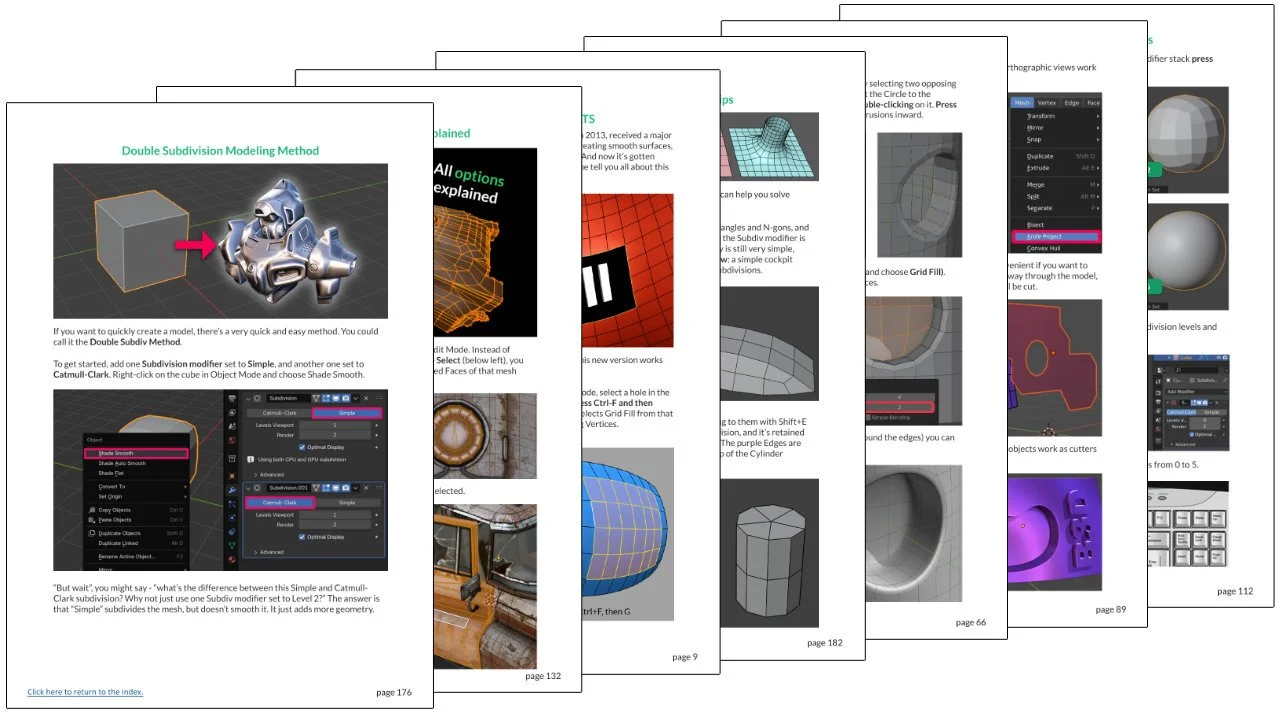
There are 182 modeling topics in this first 526 page PDF, ranging from beginner tips to fairly advanced topics and everything in between. Want to know exactly how to use Grid Fill? How to convert geometry to Quads? Below is a video of one of the topics. In the book there’s also a long version, a timelapse, and the Blend-file.
Why that bevel doesn’t work and how to fix it? How to use Blender’s limited NURBS functionality? How to get the most out of booleans and much, much more? This book has you covered.
Book 2 - Sculpting, Retopology, UV Unwrapping, Materials, Textures and Baking
With 147 topics spread over 573 pages, this book is even bigger than book 1 but dives deeper into its topics. Sculpting has become a powerful tool in Blender, and we explore the sculpt tools and the interesting workflows they make possible. From quickly concepting a robot helmet, easily adding intricate details to a sword and much more.
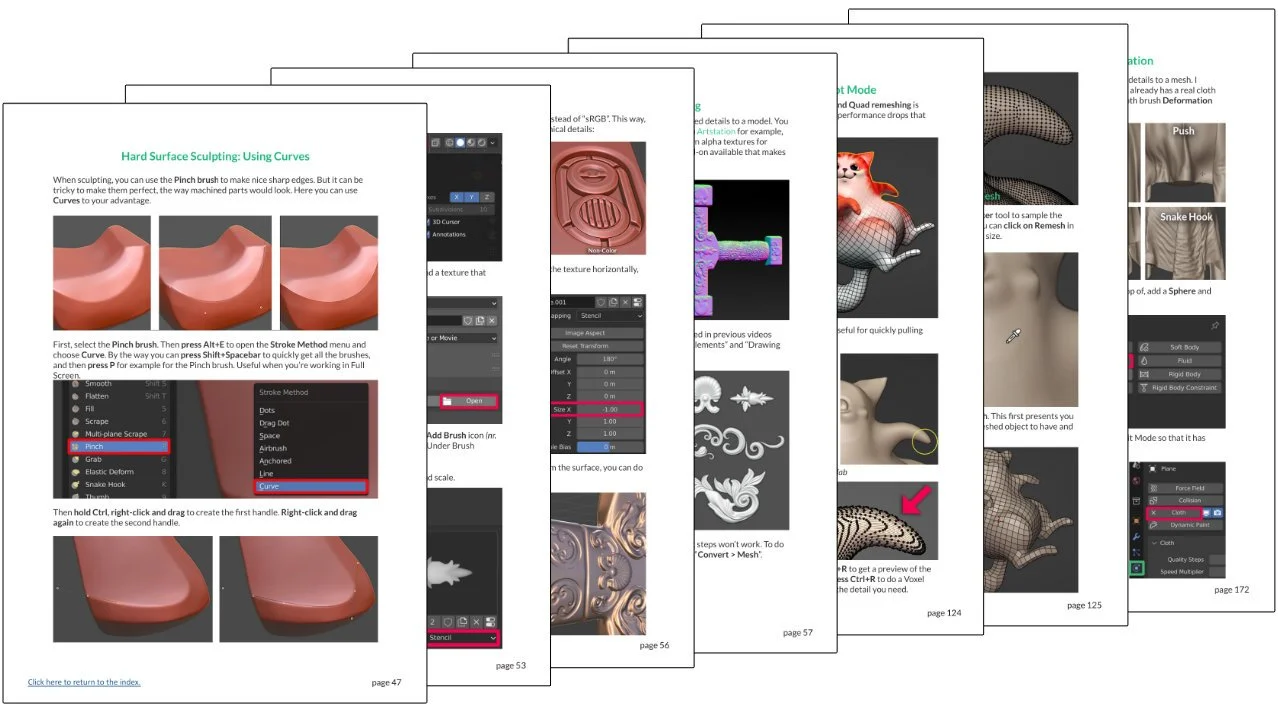
We also dive into sculpting clothing for 3D characters. Important in any 3D artists’ toolset is being able to effectively do Retopology. So we look at the entire Retopology workflow. Of course, UV Unwrapping is not far behind once you’ve retopo’d your model. And we also explore materials, textures and how to bake them. You can see why this is the biggest of the 5 books! Below you can watch a short tip about better quad remeshing, which is further explained in the book.
Book 3 - Architecture modeling, Environments, Characters and Clothing.
We’re still not done with the modeling topics! In 58 topics spread over 288 pages, we look at modeling tips that are useful if you’re making architectural visualisations. Like how to make custom Bevel profiles, use Arrays, create a pillow and much more. Related to the architecture topic, we then dive into Environment-related tips. In this section there are different workflows for making trees and plants, how to scatter things, and more.
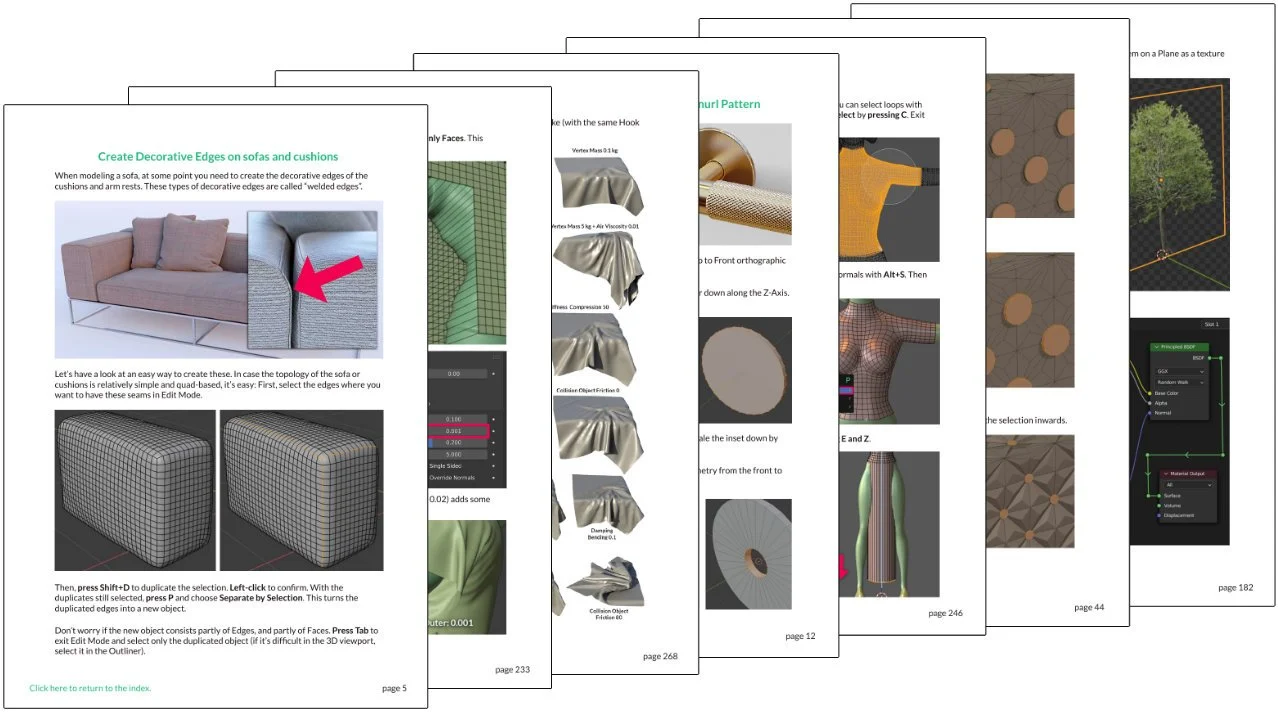
This book is essential if you want to make any kind of architectural or environment art, in other words. In the second part of the book, we look at creating characters and modeling clothing. For example, easy cloth sewing, modeling a dress, and how to do a cloth simulation with highly detailed clothing like in the below video.
Book 4 - Grease Pencil, Modifiers, Rigging, Animation, Simulations and Particles
In 138 topics spread out over 458 pages, we explore the various Grease Pencil tools (Grease Pencil basics, custom textured brushes, how to turn 3D animation into 2D animation, and more). We then look at the various Blender modifiers. Rigging is next, from a very easy trick to rig clothing in just a few clicks, easy rigging basics, adding props and extra bones to your characters, and much more.
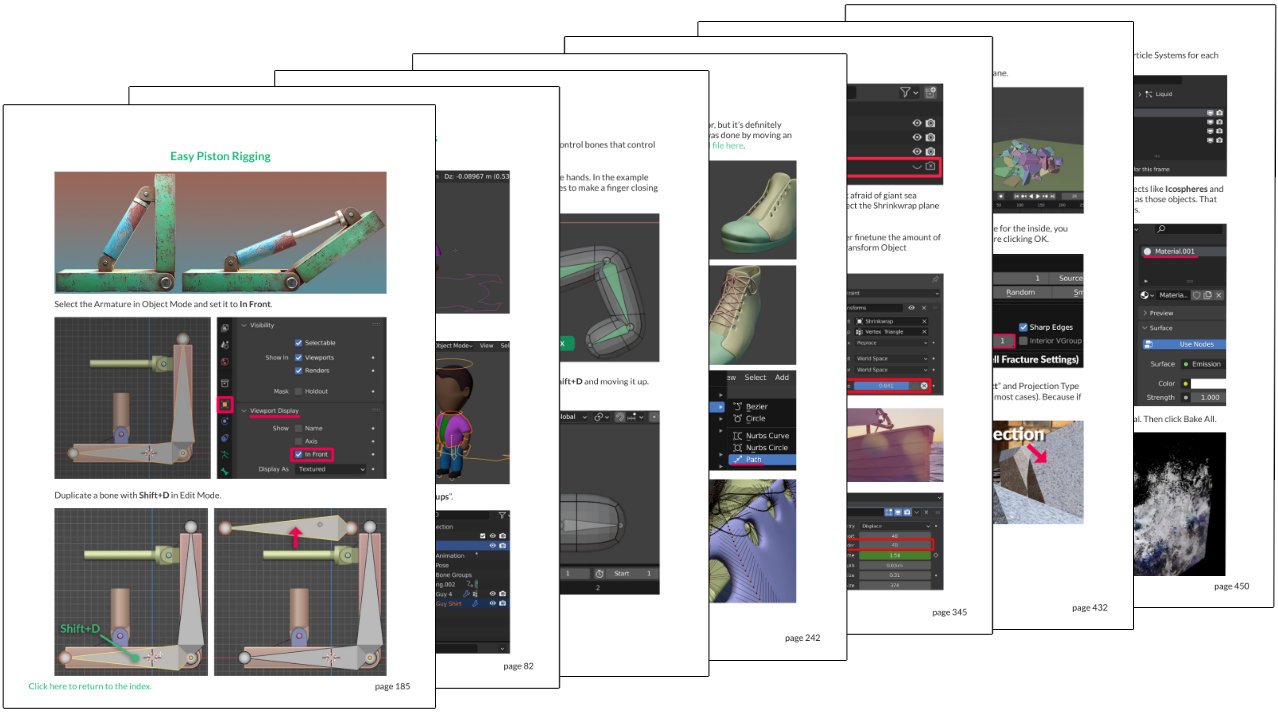
We also look at a lot of animation tips, from motion graphics animation to character animation. You’ll learn how to manually animate a simple walk cycle, import and mix Mixamo animation, retarget motion capture animation, and more. Then we look at nature animation (flowing water, swaying grass and more) and simulations and particles. This section will teach you how to blow stuff up in Blender!
Book 5 - Rendering, Lighting, NPR renders, Compositing, Workflow and Interface tips
It would be a shame to make beautiful models and animate them, only to not render the result. So over the next 259 pages and 112 topics, we dive into rendering techniques and tricks, as well as how to set up lighting for your scenes. Besides photorealistic rendering, we also look at non-photoreal rendering (NPR).
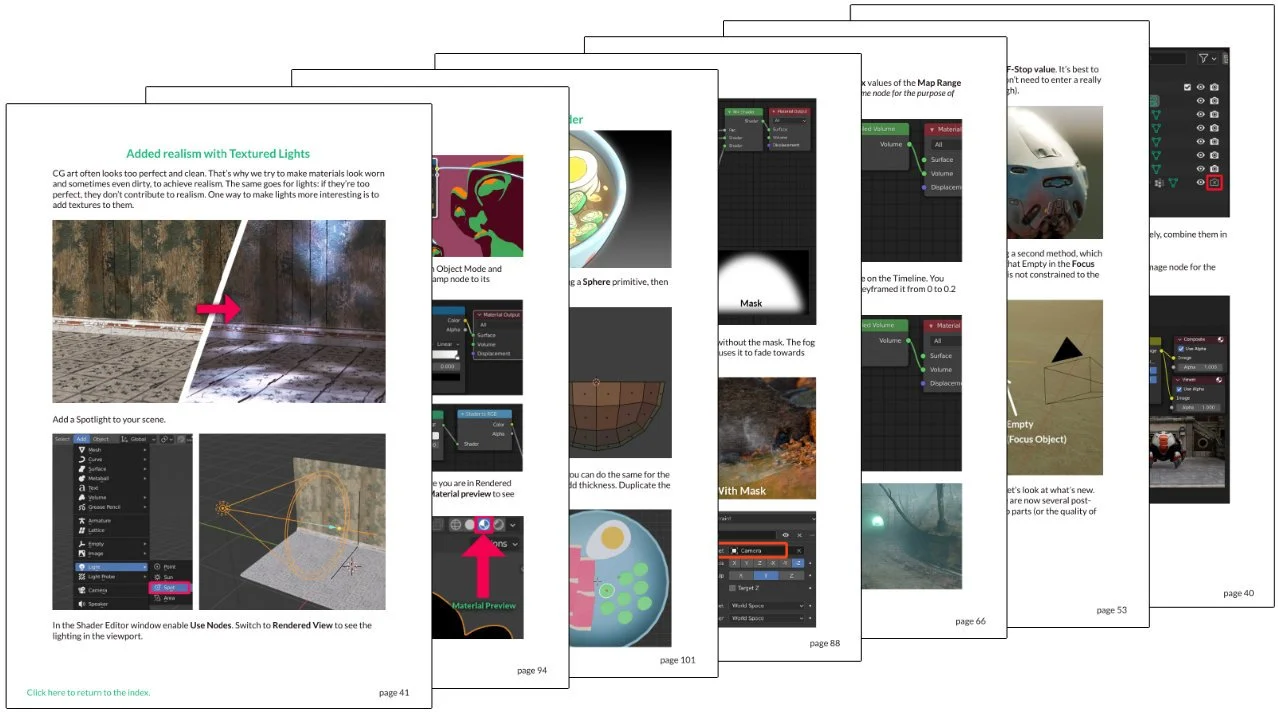
Then once everything’s rendered, the way to make it really shine is with compositing. This is where you combine and polish your renders so they look really professional and cinematic. Finally, we go over some workflow and interface tips that will speed up your Blender work.
Why get this PDF?
Tired of watching hour-long tutorials to find a simple answer?
These tips and mini-tutorials will improve your Blender workflow in no time, with 2045 pages featuring 631 short step-by-step tutorials for Blender.
What you get:
The full 2045-page PDF file, convenient in case you want to search the entire 2045-page document quickly for an answer. Or just to browse topics at your leasure.
Access to each topic individually on the Teachable platform, so you can read each topic individually online, without having to load a big PDF file. You can also find the video(s) pertaining to that topic there. And sometimes a Blend file, if that's available for that topic.
Underneath each topic is the possibility to ask questions, in case something isn't clear to you. I'll do my best to help you out.
Every update is free! This is very important, since Blender updates so fast. The book is therefore a kind of "living document".
Why should you get it?
All future updates are free for customers! It will only get bigger and better. The ultimate Blender manual!
I always use the latest stable Blender version. If you find something outdated, e-mail me & I'll update it asap!
Short, step-by-step tutorials.
Read and learn at your own pace.
For beginners and pros, there's definitely something you didn't know about yet!
"I can't believe in all these years I didn't know this" is a reaction the tutorials often get.
2045 pages (and more on the way!)
631 blender topics / short tutorials (and more on the way!)
30-day money back guarantee, so there's no risk.
Who should read this book?
You like short, to-the-point tutorials.
You want to learn efficiently so you can spend more time creating!
Whether you are a beginner or a professional, you will learn new things for sure.
What people say
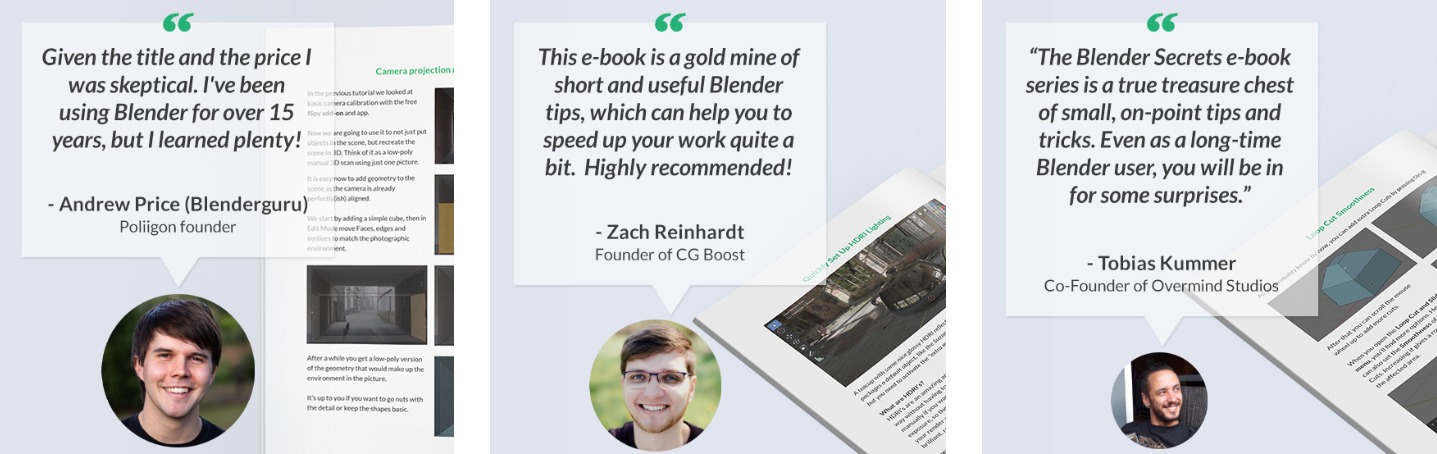
"As an experienced 3D artist I don't like to watch through long YouTube tutorials to find a small tip I was looking for. That's where short 1-minute-tutorials come in handy. And this e-book is exactly that, a gold mine of short and useful Blender tips, which can help you to speed up your work quite a bit. The tips are concise, explained with images and text and each lesson comes with an accompanying short YouTube video. Highly recommended!" - Zach Reinhardt, Founder of CG Boost
"Given the title and the price I was skeptical. I've been using Blender for over 15 years, but I learned plenty! It's a collection of every workflow trick (eg. camera projection), hidden hotkey (eg. Ctrl+Shift+R: Dual Edge loops) and render optimization (eg. AI denoising) in Blender. It's really fun to skim through it and pick up ideas for your next project. I highly recommend this for anyone using Blender professionally as it could save you many hours."
- Andrew Price (Blenderguru), Poliigon founder
"The Blender Secrets ebook series is a true treasure chest of small, on-point tips and tricks. Even as a long-time Blender user, you will be in for some surprises."
- Tobias Kummer, Co-Founder of Overmind Studios
“The Blender Secrets books are particularly informative for Blender beginners, but even seasoned Blender users will undoubtedly discover some new techniques.”
- Metin Seven, Dutch freelance illustrator, animator, 3D modeler, BlenderNation and CG Cookie author (Read the full review on Blendernation.com)
“This is the funnest book on Blender I’ve ever read! The chapters are broken up into condensed micro chunks that make for compulsive reading, and every single one has an accompanying 1 minute video online! I highly recommend it!”
- Shane Curry, Animator on “American Dad!”
"Wow, what a treasure trove of tips and tricks! I don't care if you're a beginner or a seasoned Blender veteran, this is a Blender Bible you should keep beside your workstation!"
- Bill Barber (BlenderBrit), Head of Training and Education at Poliigon.
"If you're an artist or technical director, Blender Secrets are the books you want on your arsenal of tools to get production-speed in real-world case scenarios"
- Pierre Schiller, Blender Foundation Certified Trainer and 3D Animator & VFX compositor.
"These ebooks are a treasure trove. It's like Jan nerding out and you got smart from reading them"
- Light BWK, co-founder of BlenderNPR
"It's a really excellent resource... often they're things I know already, but I would say about 50% of the time - and I've been using Blender for a long time now - there's something new in there that I think 'oh, that's a good way of doing it!' and I'm quite surprised!”
- Grant Abbitt, 3D and Game Artist
Click here to watch Grant Abbitt's review!
"There is so much content in this. And despite the size it's quite easy to find your way around since they've spent time putting together a nice content section at the beginning of the book. You can make it part of your morning routine!"
- Curtis Holt , 3D Artist and Software Developer
Click here to watch Curtis Holt's review!
Buy the e-Book
The price is 47 USD + VAT.
About the author
Hi, I'm Jan van den Hemel, 3D artist and YouTube creator, I’m working full time on Blender Secrets, sharing everything I know about making awesome 3D art with you. Follow me to see every new tip when it comes out!
youtube.com/c/blendersecrets
blendersecrets.org
instagram.com/blendersecretsdotorg
facebook.com/blendersecrets
twitter.com/JanvandenHemel